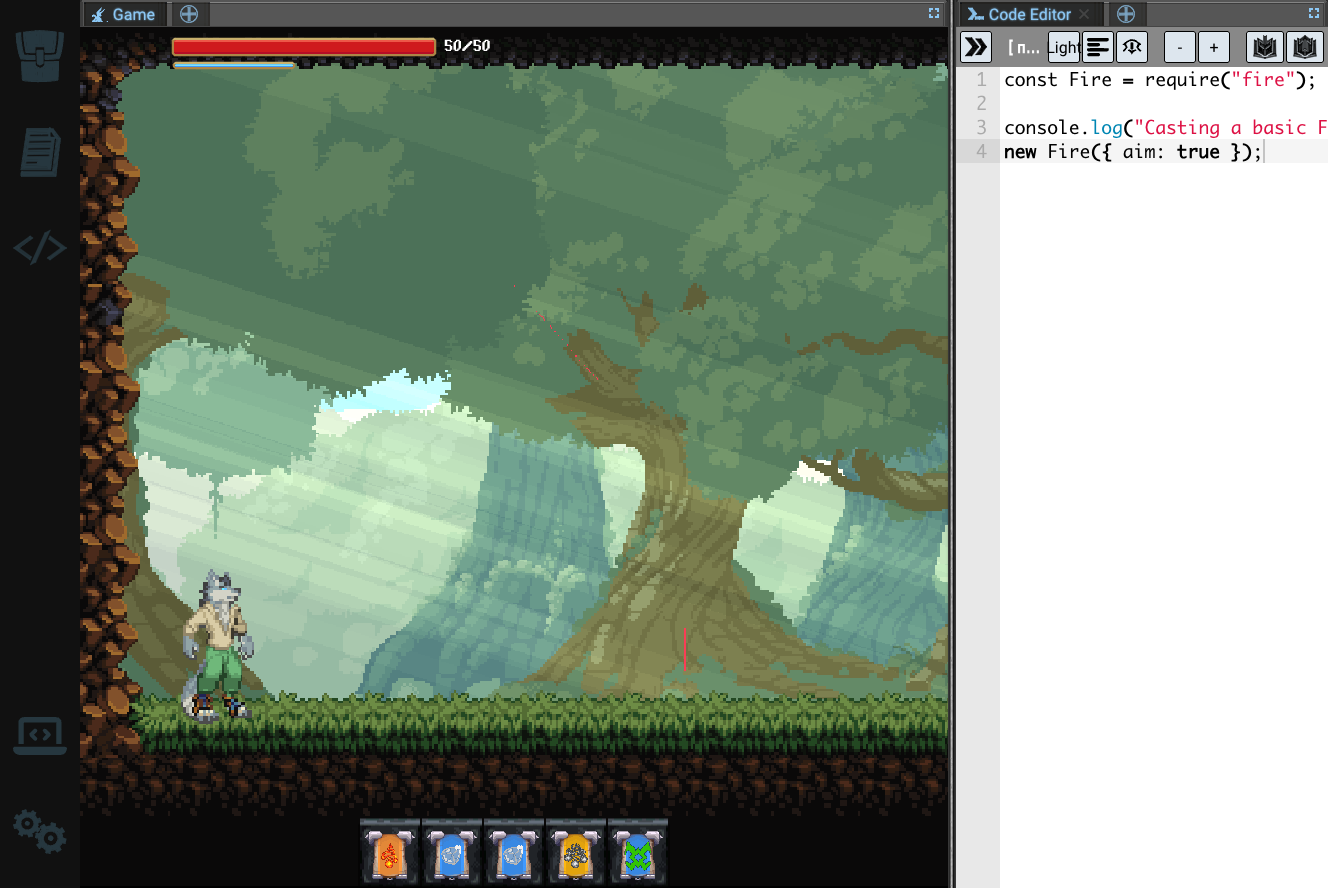
When we set out to build Open Sourcerer, we had a vision: put a code editor in a game, and let it drive the magic system of a 2D platformer. We worked for years — part time at first, then full time with a growing team — to achieve it.
I'll be honest. We wrote a custom engine first, and it was a massive R&D effort. We wanted to be web-first, to safely sandbox player-submitted JavaScript, and to work with the technology we were used to as full-stack engineers. That was largely a mistake. It meant that by the time we made it to playtesting, we had already invested significantly in a game that wasn't actually fun to onboard or play. Those things were correctable with time and work — but we realised we weren't the right team to correct them in the near term. So we pivoted.
In the last two weeks, that pivot has taken shape as two products: the currently-released Tauric Studio, and the announced Factory Chess. This post is about what we took from the engine to build Tauric Studio.
The origin of, and vision for, Tauric Studio
Tauric Studio is Open Sourcerer's level editor, abstracted so that it works for your game instead of ours.
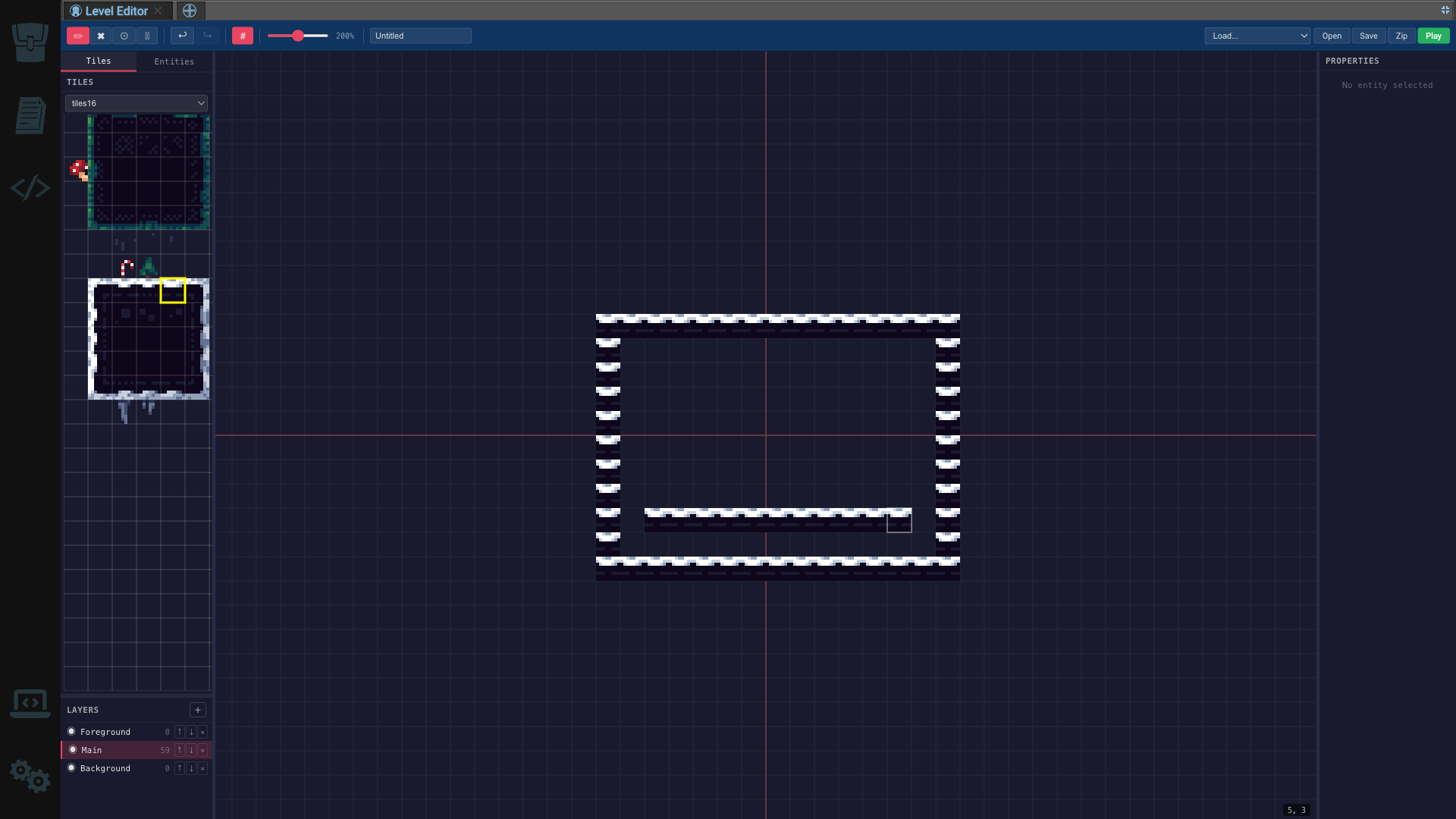
Open Sourcerer started as a project built on Tiled, a popular open source map editor. Tiled served our needs for years, but we hit two walls:
- We wanted to see our game entities previewed — and live — in the level editor.
- Tiled is single-player, and its asset references are external. People were authoring local map files that pointed at tile sets elsewhere on their hard drives.
To get around that, we wrote a simple infinite tile map editor into the engine, based on our own usage pattern of the Tiled format.
Fast forward to three weeks ago, entering Open Sourcerer playtesting. We had an unreleasable game we had worked on for years, with strong defensible IP sitting in two piles: the assets, and the engine. With dwindling runway, we set about taking the parts of the engine that worked and sharing them.
We identified several things worth extracting:
- Core level editor functionality.
- An advanced, web-first rendering pipeline for sprites and assets authored in Aseprite, which needed to retain their layers and animations. This one was already open source: Protosprite.
- A safe, sandboxed scripting environment designed for untrusted code.
- Collaborative editing on top of Tiled's native file format, with native entity previews.
The question was how to take what we loved about what we had built and make it useful to other teams. Our object library was ours, so we replaced it with a configurable one. Collaboration was too slow, because we had written it on peer-to-peer networking — so we added a relay server.
What we built next
On August 4th we stubbed a repo for Tauric Studio, wrote a plan, and started porting. What follows is the actual order, because the order is the interesting part: the whole first day was spent getting to a thing that could be used at all, and everything after it is consequence.
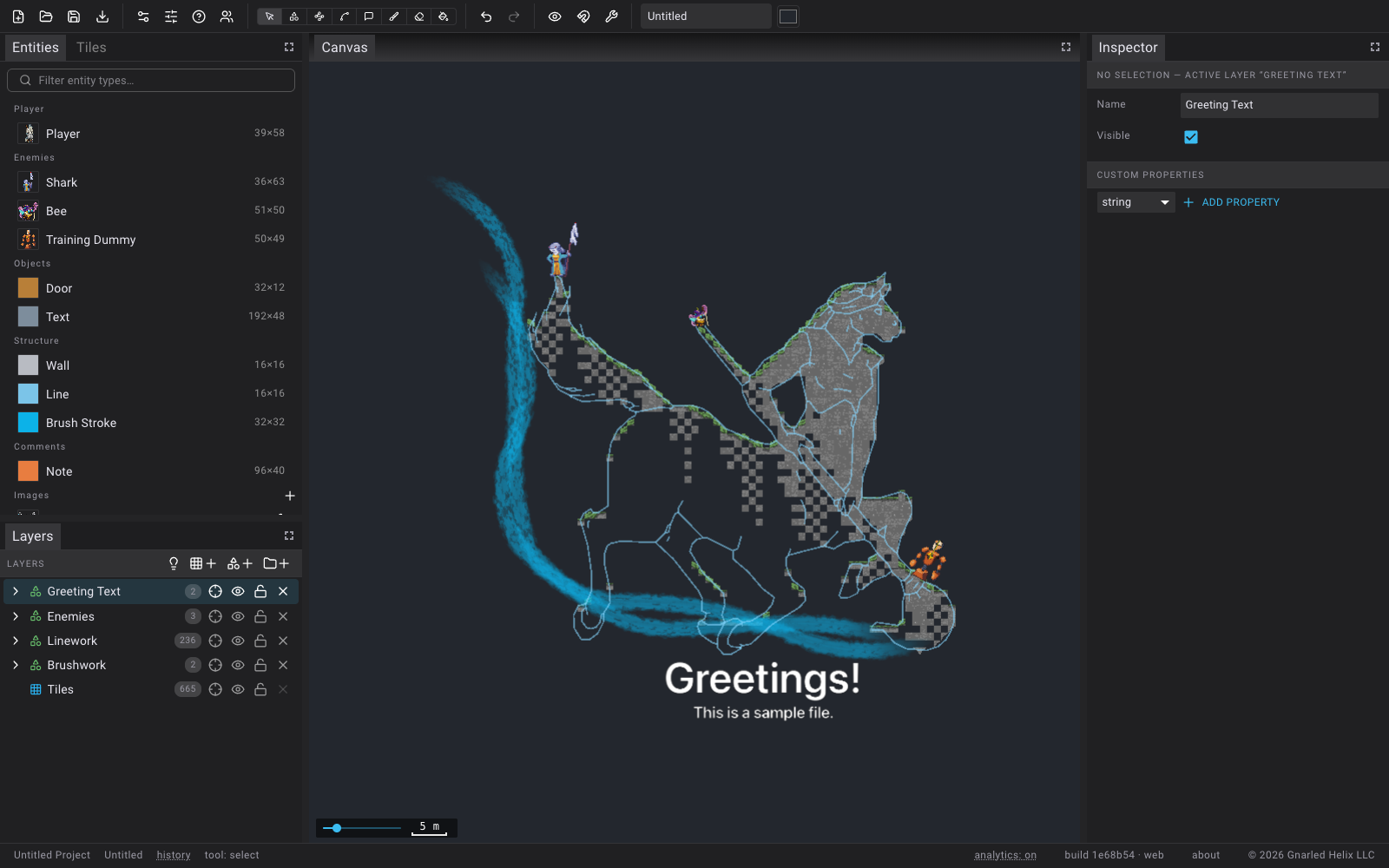
Day one was phases zero through seven, in about eight hours:
- Core, then canvas. The document model and the renderer came over first — a studio-specific renderer wrapping the ported interaction layer.
- Panels. Palettes, layers, toolbar file flows, an inspector.
- The studio part. A mutable project, image assets, graphics tooling. This is the point where it stopped being a level viewer.
- Projects on disk. Persistence and autosave.
- Vector export. GeoJSON, SVG and AutoCAD DXF adapters.
- Live collaboration. Protobuf envelopes carrying Yjs updates, a relay, and presence — followed twenty minutes later by peer asset sync and cursor overlays.
- The edge editing suite, dockable panes, and animated sprite graphics.
The second week was the difference between a demo and a product. A hosted relay and a real deployment. Colour fidelity. Identity and attribution, so a collaborative document can say who added what. Hierarchical layers. Content-hash asset sync. Terms, licensing and a company line on the screens that had none. Accessible labels on the four buttons a screen reader could not name. A starter document worth opening. And, last, tracing: turn a tile sheet into shapes, then turn the tiles you painted with it into shapes too.
None of that ordering was clever. It is just what happens when the expensive parts already exist and you spend your time on the parts that don't.
Three things we carried over
The interesting parts of the port are not the ones where we copied a file. They are the ones where a decision we made for a game turned out to be the right decision for a tool, usually for a reason we had not originally understood.
Tiles into collision geometry
Open Sourcerer's levels are painted as tile layers, but its physics needs
polygons. So the engine has mergeTerrain.ts: it takes the painted tiles and
produces the collision bodies the level actually runs on.
The obvious implementation is a polygon boolean union — hand every tile's square to a geometry library and ask for the union. That is expensive, and it is expensive in the worst way, because cost grows with the complexity of what an artist drew. We wanted something that got cheaper the more regular the map was, not more expensive.
What it does instead is closer to marching squares, generalised to handle partially-filled cells. Every tile emits its own outline as directed edges, all wound the same way — interior on the left. Where two solid tiles sit side by side, the shared edge gets emitted twice in opposite directions, once by each tile. Cancel opposing pairs as you insert them and the interior deletes itself. What survives is exactly the boundary between solid and not.
Then chain the surviving edges into loops by shared endpoints, and classify each loop by signed area — counter-clockwise is an outer boundary, clockwise is a hole — and nest the holes inside whichever outer contains them.
No boolean union, no scanline, and the work is linear in tiles rather than quadratic in edges.
Porting it into Tauric was mostly a matter of changing what a "tile" is. But it came with one condition that is easy to miss and fatal to get wrong: cancellation only works if the two halves of a shared edge are bit-identical. Not nearly equal — identical. Two floats that differ in the last place describe two edges, and two edges do not cancel; they survive into the output as a hairline crack in your collision.
That is why every vertex in Tauric's tile shapes sits on a half-tile lattice. The snapping is not tidying up after the algorithm. It is the precondition that makes the algorithm work at all.
The other trap was flip flags. Tiled lets you draw a slope once and place it flipped, and the flipped copy is a genuinely different shape on the ground. Collision that ignores the flip bits produces a map that looks right and has a ramp you fall through on half of it.
Edge rendering, from machine wiring
Open Sourcerer has signal wires: cables strung between machines, carrying visible pulses along their length. That is a game feature, and on its face it has nothing to do with a map editor.
It is also exactly the problem an editor has when it needs to draw an edge — a
polyline of arbitrary width, that stays the right width when you zoom, with
direction you can read at a glance. So Tauric's edge renderer is the game's
WireConnector with the game taken out of it.
The technique is a miter-extruded ribbon. A polyline on its own has no width;
you get width by expanding it into a triangle strip, two vertices per point,
pushed out along the line's normal. The corners are the hard part — expand naively
and the outer edge of a sharp turn tears open. The fix is a per-vertex miter
factor, so each vertex knows how far to push to keep the strip's edges meeting
cleanly at the joint. polyline-normals computes the normal and miter per point,
and a vertex shader does the displacement by ±normal · thickness · miter / 2. The
texture runs along the strip on distance-based UVs, so the pattern's spacing is a
function of length travelled rather than of vertex count.
What we dropped was all the game runtime: the uniform arrays driving signal pulses, the glow bands, the travelling sprites. What we added was different art — a 16×24 chevron pattern that reads as directional flow along an edge, rather than as a cable in a factory.
And one thing that only matters in a tool: edges never render thinner than a floor of a few screen pixels, regardless of zoom. A game camera stays in a known range. An editor gets handed CAD-scale drawings and zoomed all the way out, and an edge whose true width is a fraction of a pixel should still be a visible hairline rather than disappearing.
The rendering pipeline
The renderer draws a different way per kind of thing: textured quads for ordinary entities, 9-patch geometry for stretchable ones, batched grids for tiles, the ribbons above for edges, and canvas-2D text sprites for comment labels that exports deliberately skip. Coordinates are pixel-world — one unit is one Tiled pixel, Y up — so what the document says and what the screen shows never need a conversion in between.
The batching rule is the one worth stealing, and we did not invent it here; we
took it from protosprite-three, our own open-source sprite renderer. A uniform
is a material, and a material is a draw call. Anything that varies per instance
— a tint, a fade, a selection highlight — forces a new material if you express it
as a uniform. The first version did exactly that, allocating a MeshBasicMaterial
per placement, so a thousand boxes cost a thousand materials and a thousand draw
calls.
So per-instance state lives in vertex attributes instead, travelling with the geometry rather than the shader configuration. Fills, static frames and sprite layer stacks accumulate into a per-layer batch and draw as one mesh per texture, against a shared material cache. Selecting something writes a tint into an attribute buffer. Animated flipbooks are the deliberate exception — the render loop rewrites their UVs every frame, so they stay on their own mesh.
There is a related decision we got wrong first and then corrected. Protosprites
now render through the protosprite-three package rather than through a
reimplementation inside the editor. An earlier pass rebuilt its renderer locally,
which meant every upstream fix had to be re-ported by hand. Calling the package
makes an upgrade a version bump. It costs a mesh per placement, because the
package owns its geometry — that is the price, and it is worth it.
Last, colour. Put pixel art through a modern 3D renderer and it comes out washed,
because defaults are opinions: Three.js assumes a photographic scene, so it
manages colour spaces and applies tone mapping on output. Both are right for that
job and wrong for pixels an artist already chose exactly. Four settings have to
agree — ColorManagement.enabled = false,
outputColorSpace = LinearSRGBColorSpace, toneMapping = NoToneMapping, and
every texture tagged LinearSRGBColorSpace. Miss one and something converts
where you didn't ask.
We did not rediscover any of that. The settings are copied from Open Sourcerer, where we had already lost the afternoon to finding them.
Where this leaves us
We spent years building an engine for a game we have paused, and two weeks turning that engine into something other people can use. I would rather have learned the playtesting lesson earlier. But the engine was real, the rendering work was real, and the collaborative editing was real — and none of that was wasted, it was just pointed at the wrong problem.
Tauric Studio is free and live today at tauric.tools. Factory Chess is a prototype in development, and it gets its own post.